Press Ctrl+Shift+K in any compose window, type a few letters, press Enter. The snippet lands where your cursor was.
10 snippets free, forever. $24 once for unlimited — not a subscription.
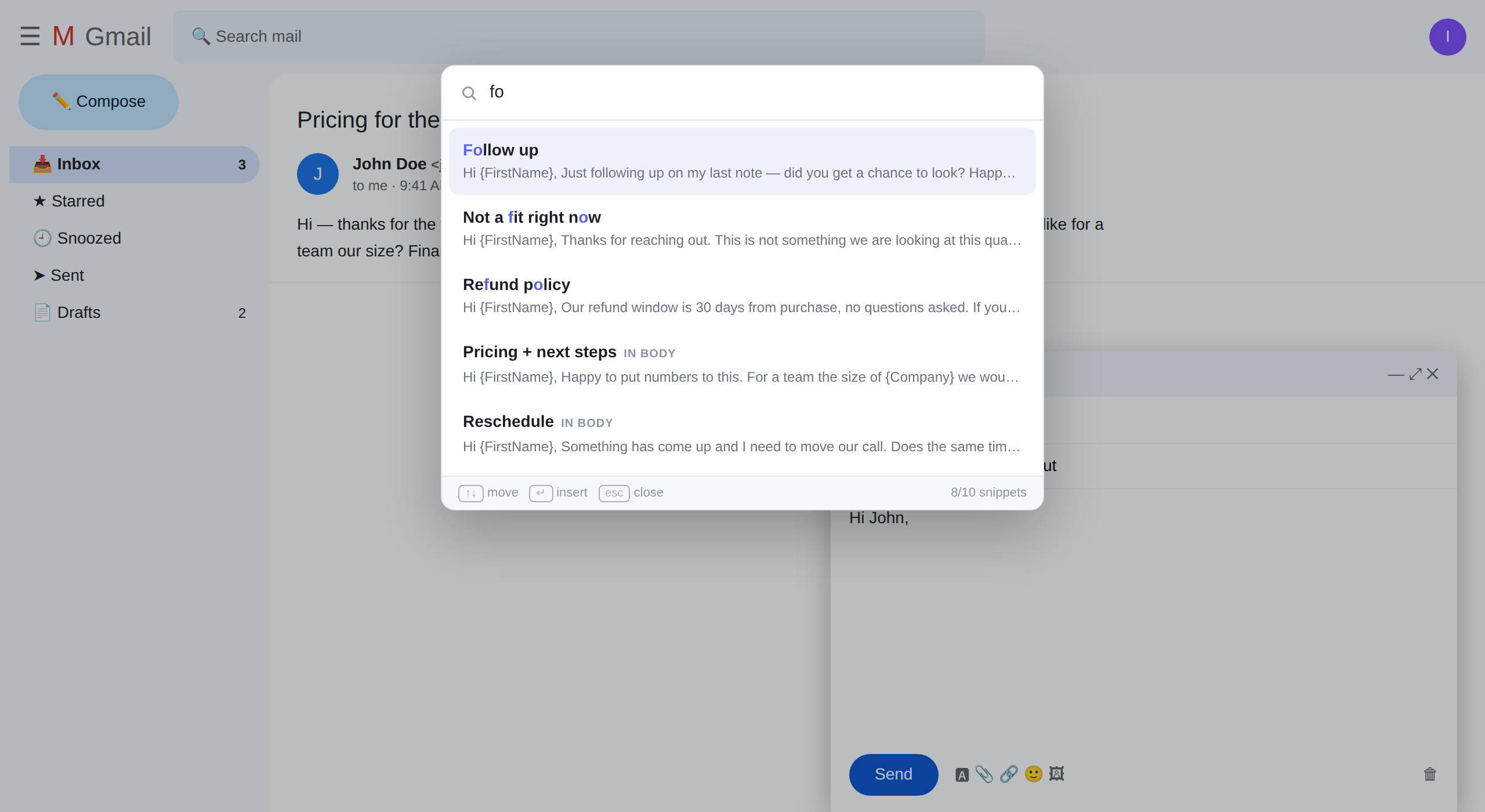
Gmail's Templates menu is three clicks deep and shows a flat list. Past ten templates you cannot find the one you want. Past twenty, you stop using the feature.
Fuzzy matching on titles, literal matching inside the text. Forgotten the name? Type "refund window" and it finds the one that says it.
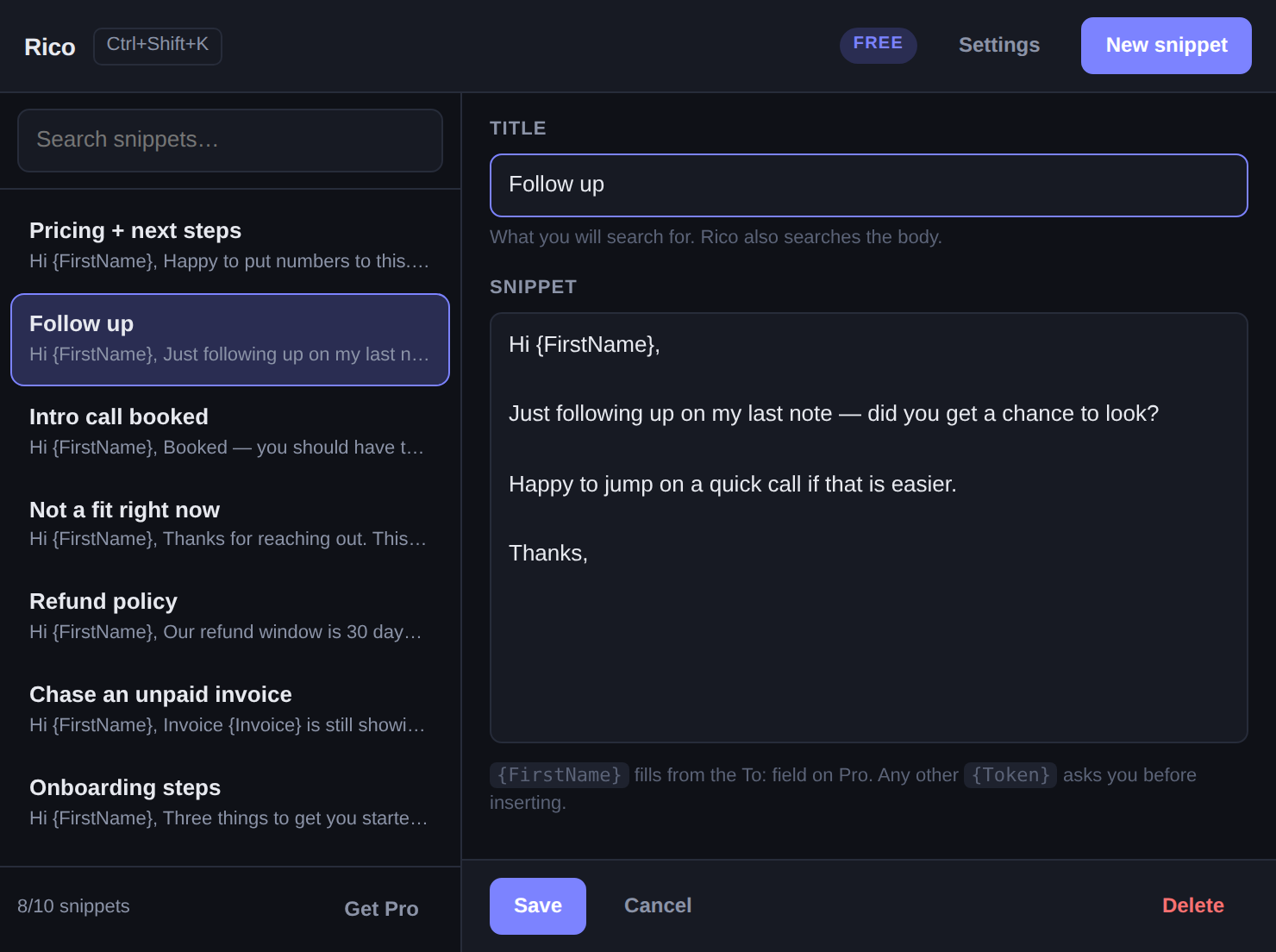
Taken from whoever is in the To: field. Any other token you invent — {Company}, {Invoice} — asks you before it inserts, so no half-finished greeting goes out.
Write the same paragraph twice and Rico offers to keep it, with a title and tag already filled in. It stores a one-way hash, never your text.
Gmail already uses that for Insert Link and Chrome reserves it for the address bar. Rico stays off it — and lets you take it anyway if you never insert links.
Rico has no servers to fund, so there is nothing for a subscription to pay for.
The free tier limits how many snippets you can create. It never limits using the ones you have — if you are sitting on forty from before, all forty keep working.
No account, no server, no analytics. Snippets live in your own browser and are carried between your machines by Chrome's own sync. Rico reads the compose window you are typing in — inserting at your cursor is not possible otherwise — and the To: field for {FirstName}. Neither is stored or sent anywhere. It never touches your inbox or your sent mail. The only permission it asks for is storage.
Rico was a border collie who knew two hundred words. Tell him the name of a thing and he came back with the right one.
 Rico
Rico